![nomono-logo-default-on-light (1) (1)-2.svg]](https://support.nomono.co/hubfs/nomono-logo-default-on-light%20(1)%20(1)-2.svg)
Important! Force quitting the Studio App should only be done if the app becomes completely unresponsive or frozen. We do not recommend doing this unless the app is not responding to any input.
How to Force Quit the Studio App on iOS
-
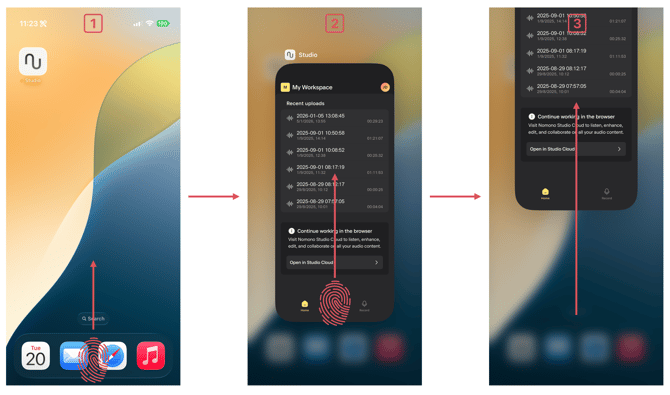
Swipe up from the bottom of the screen and pause to open the app switcher
-
Locate the Studio App
-
Swipe the app upward until it disappears from the screen
How to Force Quit the Studio App on Android
-
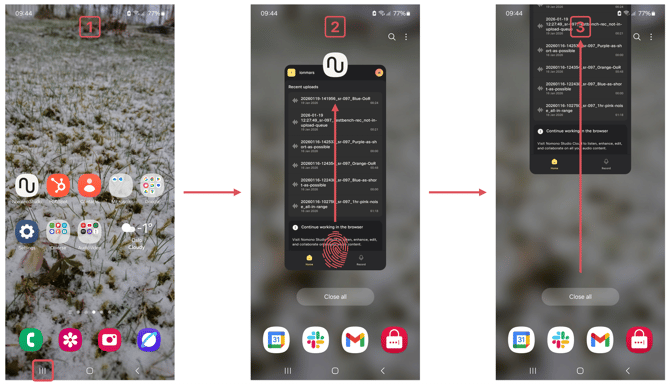
Tap the Recent apps / App switcher button (usually located at the bottom of the screen)
-
Locate the Studio App in the list of running apps
-
Swipe the app away (up or sideways, depending on your device) until it disappears